What We Built
Our advisors are great, they’re thoughtful, knowledgeable, and very passionate about helping students. The only issue is that they aren’t available 24/7 and physically cannot serve each and every student.
Inspired by this challenge, we decided to build an AI advisor with knowledge about courses, class registration, and any question you may have about selecting classes at UCSB to alleviate that load.
How We Built It
Backend
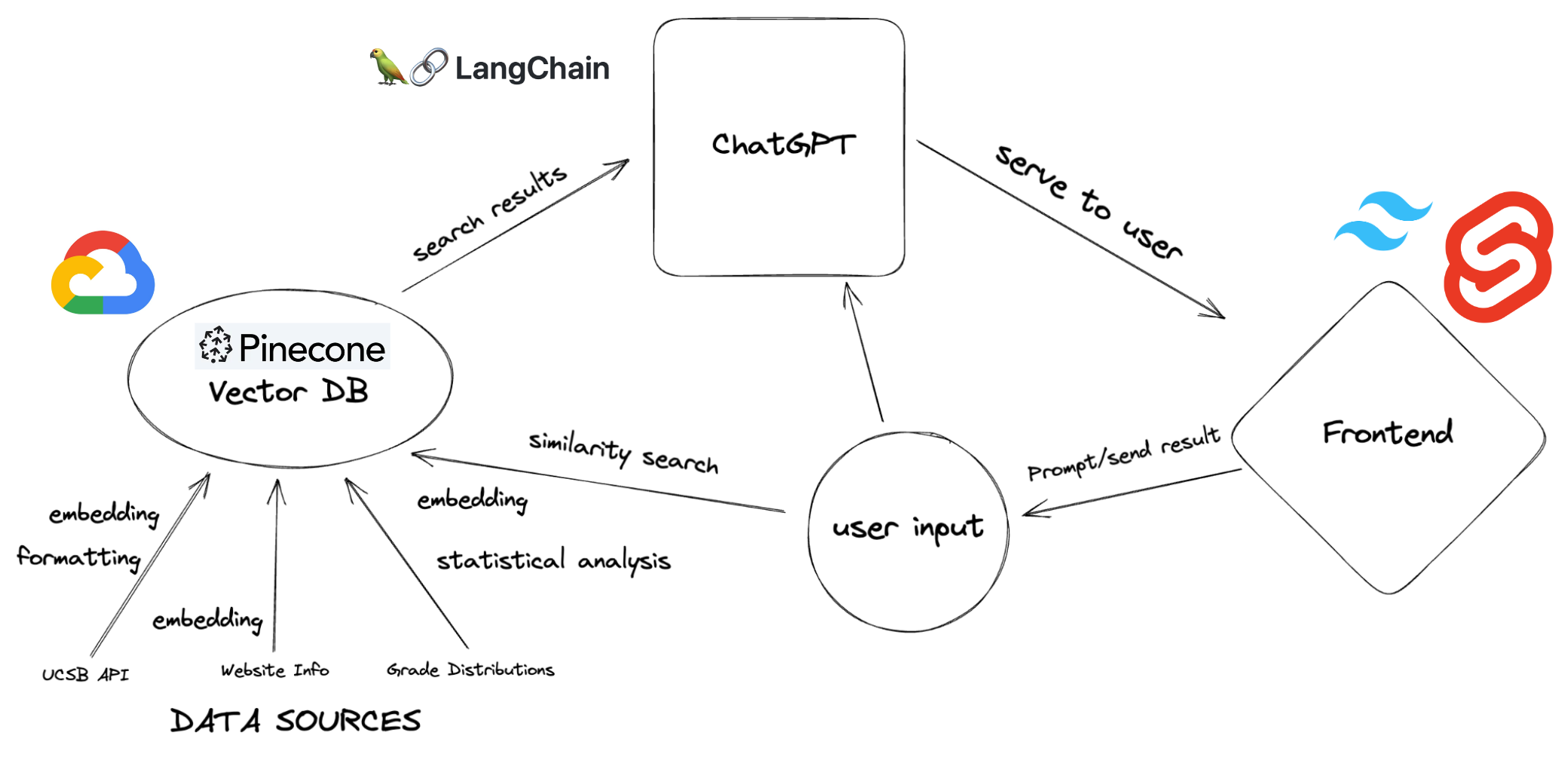
To build a knowledge base for our advisor, we pulled over 9000 course offerings from the UCSB API, analyzed and reformatted them to enhance their semantic clarity, then utilized OpenAI’s embedding engine (ada-002) for embedding. After embedding, we stored them in Pinecone’s vector database allowing for efficient and accurate semantic searching via cosine similarity. We also created a unique difficulty statistic by parsing the UCSB grade distribution dataset made available by the Daily Nexus. We then used Retrieval Augmented Generation to allow ChatGPT to utilize our knowledge base when responding to questions.
Frontend
For the frontend, we used Tailwind CSS and SvelteKit, which made it easy to style elements without writing custom CSS. We took advantage of Svelte’s more expressive syntax, its built in routing, and it’s enhanced performance. We connected the frontend and backend using Flask.
Challenges we ran into
We had difficulty utilizing the Langchain library because of their frequent updates. Video tutorials that were only months old were already out of date, libraries used in their documentation were already deprecated, so we often had to dig around a lot and try a lot of things before our code would function.
We had difficulty processing the sheer amount of data, when uploading to the Pinecone db the program would often crash without giving an error message or simply stall. Someone had to monitor the console at all times to reset the progress to the nearest quarter. This process took several hours, and if you wanted to change the schema of the course listings you would have to start over from scratch leading us to be very careful in designing the data we were logging, ultimately settling on a formatted natural language style entry rather than a raw json document after testing the performance of both schemas.
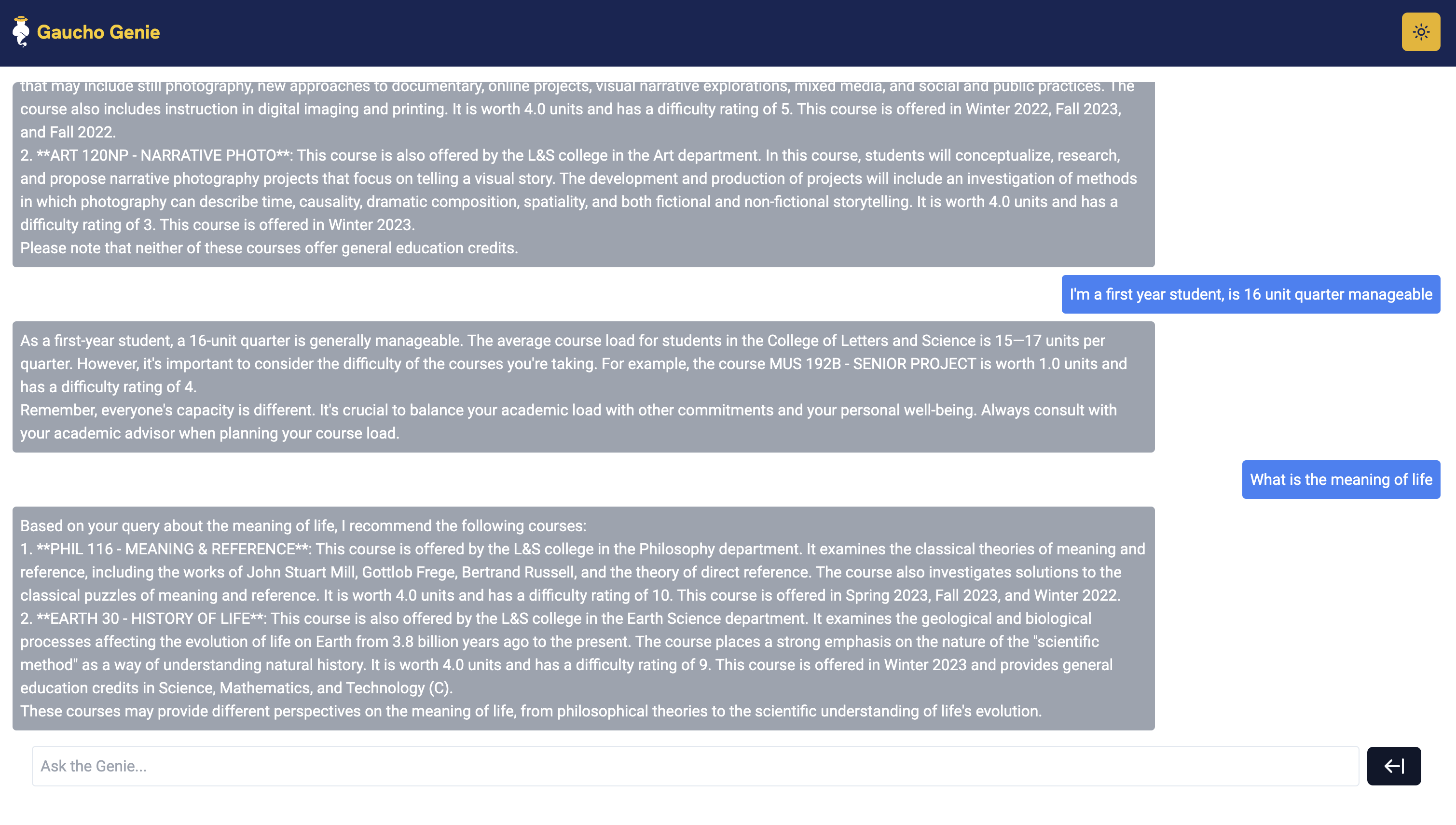
Another huge challenge we ran into was formatting the prompts and data so that it could be used properly by our chat assistant. To keep the chatbot informed about the previous questions asked by the user, we logged the chat history. However, after a few messages, the history would be very long and exceed the OpenAI token limit causing the program to crash. To circumvent this, we designed an extra chat history summarization step each time the chatbot responded to a question that would identify key information in the chat history and make it more concise.
User Interface

Reflections
As a second year Computer Science student, it was the first project that I have worked on where I was the team lead. I designed the system architecture, created the data pipeline we used, designed the schemas for the database, and helped guide both our frontend and backend teams through challenges.
I’m especially proud of the growth of our team members. Before the hackathon our frontend team had never touched HTML or Javascript but by the end they were proficient and able to work on the project without my guidance and our backend team hadn’t developed a web backend before but was able to integrate it with the frontend and design a context aware chatbot.
It was a long and grueling 36 hours, but I couldn’t be happier with what we built and learned and my team members who toughed it out and persevered to ship our product despite all of the challenges.
Looking into the Future
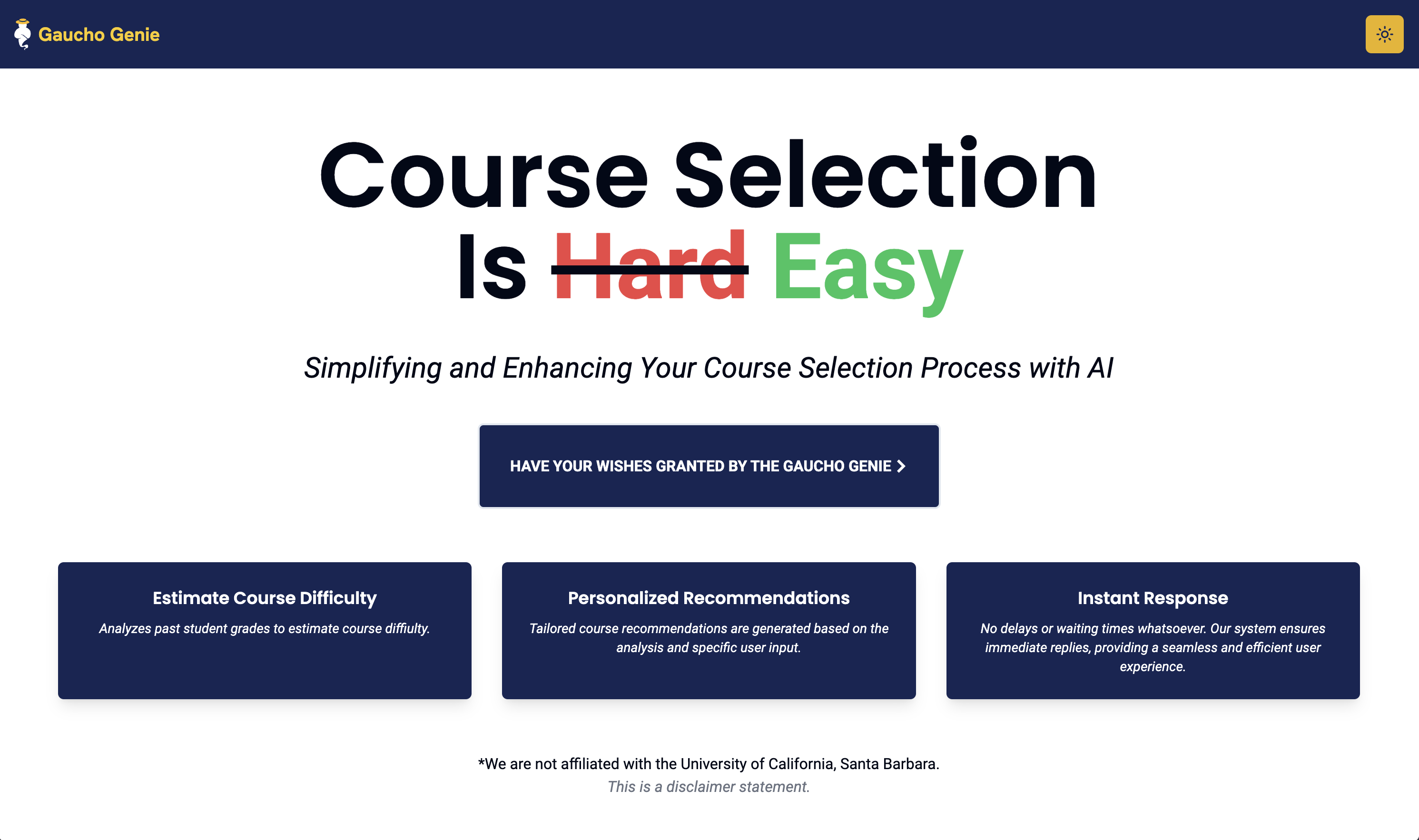
We plan on continuing to develop Gaucho Genie: increasing it knowledgebase, deploying it on a production website, improving UI (homepage has some clarity issues), and adding new features.